WaterMark3.5
Publisher Description
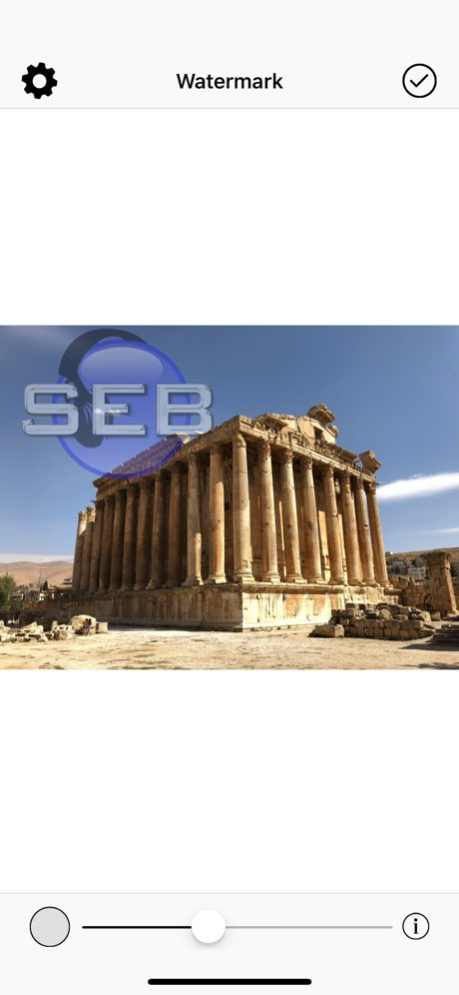


Protect your photos and digital works with your own watermark in no time before sending them or publishing them!
Protect your photos in 4 simple steps:
- Select the photo/image you want to protect in your photo library
- Select your logo image, or define a text as watermark and adjust its style. Switch between your text and logo by touching the bottom left button
- Adjust your watermark on your photos; pinch it, drag it and rotate it. Adjust its opacity precisely with the bottom slider.
- Save your photo in your library, send it by email,export it to other apps
Special features:
- White and black spirals watermark included
- Choose the text font among more than 100 different fonts
- Define the text color with the sliders
- Save and share your watermarked photo at full resolution
If you have an issue, question or suggestion, drop us an email at support@seb-appstore.com
Check out other great iPhone apps at www.SEB-AppStore.com
Version History Fixed a bug while editing HEIC photos 3.5 Apr 22 Fixed a bug that prevented the saving of some photos 3.4 02/17/2025 Minor bug fixes 3.3 04/19/2024 Dark mode ready
Minor bug fixes 3.2 10/05/2019 Fixed a bug with the Portrait photos. 3.1 05/08/2019 Add support for RAW and "Portrait" photos
Minor bug fixes 3.0 03/29/2019 Fixed a bug in the saving phase
Fixed some incorrect view orientations 2.02 06/10/2017 Minor bug fixed 2.01 06/08/2017 Minor bug fixes
Dozens of new fonts added 2.0 04/27/2017 Bug fixed 1.51 10/18/2013 Minor Bugs fixed
Now support both portrait and landscape orientations
Optimization for the iPhone 5 1.5 10/15/2013 WaterMark becomes universal ! Works now on both iPhone/iPod and iPad
Minor bugs fixed
New Facebook integration 1.4 07/16/2012 Minor bugs fixed 1.3 04/27/2012 Bugs fixed 1.2 01/06/2012 AirPrint your photos
Minor bugs fixed 1.1 12/21/2011 1.0 01/13/2011
About WaterMark
The company that develops WaterMark is Sebastien BUET. The latest version released by its developer is 3.5.
To install WaterMark on your iOS device, just click the green Continue To App button above to start the installation process. The app is listed on our website since 2026-10-13 and was downloaded 4 times. We have already checked if the download link is safe, however for your own protection we recommend that you scan the downloaded app with your antivirus. Your antivirus may detect the WaterMark as malware if the download link is broken.
How to install WaterMark on your iOS device:
- Click on the Continue To App button on our website. This will redirect you to the App Store.
- Once the WaterMark is shown in the iTunes listing of your iOS device, you can start its download and installation. Tap on the GET button to the right of the app to start downloading it.
- If you are not logged-in the iOS appstore app, you'll be prompted for your your Apple ID and/or password.
- After WaterMark is downloaded, you'll see an INSTALL button to the right. Tap on it to start the actual installation of the iOS app.
- Once installation is finished you can tap on the OPEN button to start it. Its icon will also be added to your device home screen.
Program Details
System requirements
Download information
Pricing
Version History
version 3.5
posted on 2026-10-13
Version History Fixed a bug while editing HEIC photos 3.5 Apr 22 Fixed a bug that prevented the saving of some photos 3.4 02/17/2025 Minor bug fixes 3.3 04/19/2024 Dark mode ready
Minor bug fixes 3.2 10/05/2019 Fixed a bug with the Portrait photos. 3.1 05/08/2019 Add support for RAW and "Portrait" photos
Minor bug fixes 3.0 03/29/2019 Fixed a bug in the saving phase
Fixed some incorrect view orientations 2.02 06/10/2017 Minor bug fixed 2.01 06/08/2017 Minor bug fixes
Dozens of new fonts added 2.0 04/27/2017 Bug fixed 1.51 10/18/2013 Minor Bugs fixed
Now support both portrait and landscape orientations
Optimization for the iPhone 5 1.5 10/15/2013 WaterMark becomes universal ! Works now on both iPhone/iPod and iPad
Minor bugs fixed
New Facebook integration 1.4 07/16/2012 Minor bugs fixed 1.3 04/27/2012 Bugs fixed 1.2 01/06/2012 AirPrint your photos
Minor bugs fixed 1.1 12/21/2011 1.0 01/13/2011
version 3.4
posted on 2025-02-17
Feb 17, 2025
Version 3.4
Fixed a bug that prevented the saving of some photos
version 3.4
posted on 2025-02-17
Fixed a bug that prevented the saving of some photos
version 3.3
posted on 2024-04-19
Apr 19, 2024
Version 3.3
Minor bug fixes
version 3.2
posted on 2019-10-05
5 Oct 2019 Version 3.2
Dark mode ready
Minor bug fixes
version 3.2
posted on 2019-10-05
Oct 5, 2019 Version 3.2
Dark mode ready
Minor bug fixes
version 1.51
posted on 2011-01-13
version 3.2
posted on 1970-01-01
2019年10月5日 Version 3.2
Dark mode ready
Minor bug fixes
